webtunel-gpu documentation
Run credit-metered GPU processing through a Supabase-backed account portal on webtunel.com and a runtime on super-proxy.webtunel.com.
Overview
webtunel-gpu has two surfaces. webtunel.com is the account and dashboard surface where you register, add credit, submit tasks, and read history. super-proxy.webtunel.com is the runtime that holds the queue, worker leases, stream keys, and GPU provider control plane. They are split so the account portal stays stable while the runtime scales with load.
Workers receive
A proxy URL, a short-lived stream key, and job metadata.
Workers never receive
Bucket credentials, raw object URLs, or reusable presigned URLs.
Quick start
Register on webtunel.com, add credit, create an API key, and submit your first task. The runtime reserves credit, leases the task to a worker, and records events and artifacts you can read on the dashboard.
POST /v1/tasks
Authorization: Bearer wt_live_...
Idempotency-Key: task-video-001-2026-06-13
Content-Type: application/json

{
  "job": "video-analysis",
  "video_id": "video-001",
  "source_url": "https://storage.example.com/private/video.mp4"
}
Authentication
API keys authenticate your calls to the task API. Create one in the dashboard under Developer > API keys, then send it as Authorization: Bearer wgpk_<key_id>_<secret>. The full key is shown once and cannot be retrieved later. Revoking a key takes effect immediately.
Credits and billing
Credit is prepaid through Stripe and stored as an account balance. When a task is enqueued the runtime reserves estimated cost; if the balance is too low the task is rejected before any GPU boots. On completion the reservation settles against actual instance usage and the difference is released. Cancellation releases the unused reservation immediately.
Task submission
Submit work with POST /v1/tasks. Send an Idempotency-Key so retries from a flaky network return the same task instead of double-charging or double-running.
POST /v1/tasks
Authorization: Bearer wt_live_...
Idempotency-Key: task-video-001-2026-06-13
Content-Type: application/json

{
  "job": "video-analysis",
  "video_id": "video-001",
  "source_url": "https://storage.example.com/private/video.mp4"
}
A task payload is free-form JSON your worker interprets:
{
  "job": "video-analysis",
  "video_id": "video-001",
  "source_url": "https://storage.example.com/private/video.mp4",
  "metadata": {
    "customer": "demo",
    "priority": "normal"
  }
}
SDK and CLI examples
These examples are intentionally small. Production clients should keep API keys in environment variables, send an idempotency key for every task, and stream logs from the task detail endpoint.
Node
import { randomUUID } from "node:crypto";

const response = await fetch("https://super-proxy.webtunel.com/v1/tasks", {
  method: "POST",
  headers: {
    Authorization: `Bearer ${process.env.WEBTUNEL_API_KEY}`,
    "Content-Type": "application/json",
    "Idempotency-Key": randomUUID()
  },
  body: JSON.stringify({
    job: "video-analysis",
    video_id: "video-001",
    worker: "video-render-worker"
  })
});

if (!response.ok) {
  throw new Error(await response.text());
}

console.log(await response.json());
Python
import os
import uuid
import requests

response = requests.post(
    "https://super-proxy.webtunel.com/v1/tasks",
    headers={
        "Authorization": f"Bearer {os.environ['WEBTUNEL_API_KEY']}",
        "Content-Type": "application/json",
        "Idempotency-Key": str(uuid.uuid4()),
    },
    json={
        "job": "video-analysis",
        "video_id": "video-001",
        "worker": "video-render-worker",
    },
    timeout=30,
)
response.raise_for_status()
print(response.json())
CLI skeleton
webtunel worker register \
  --image ghcr.io/company/video-worker:1.0.0 \
  --gpu "RTX 4090" \
  --min-workers 0 \
  --max-workers 4 \
  --timeout 900

webtunel task submit payload.json --worker video-render-worker
webtunel task logs task_123 --follow
webtunel task artifacts task_123
Runtime and proxy
The runtime on super-proxy.webtunel.com owns the queue, worker leases, stream keys, and GPU provider control. Workers poll /v1/worker/tasks/claim for leased work and report back with complete or fail. The dashboard reads the state the runtime records.
Live capacity comes from the runtime snapshot, not from the billing ledger. Usage rows are kept for customer billing and history; an open usage row means the ledger has not received a stop time yet, while the live runtime count shows what Vast currently reports as running.
Stream keys
Stream keys give workers scoped, expiring access to private media instead of raw storage URLs. Keys carry a TTL and are revoked when a job is cancelled or a worker is considered unsafe.
POST /v1/stream-keys
Authorization: Bearer wt_live_...
Content-Type: application/json

{
  "job_id": "job_8842",
  "source_url": "https://storage.example.com/private/video.mp4",
  "ttl_seconds": 1800
}

# Worker receives a scoped, expiring URL:
# https://super-proxy.webtunel.com/stream/<stream_key>
Task events and artifacts
Every state change is recorded as a timeline event, and workers write artifacts (logs, outputs, files) against the task. Both surface on the dashboard task view.
POST /v1/tasks/{task_id}/artifacts
Authorization: Bearer wt_live_...
Content-Type: application/json

{
  "artifact_type": "log",
  "label": "worker output",
  "storage_path": "runs/{task_id}/output.txt"
}
Instances and live logs
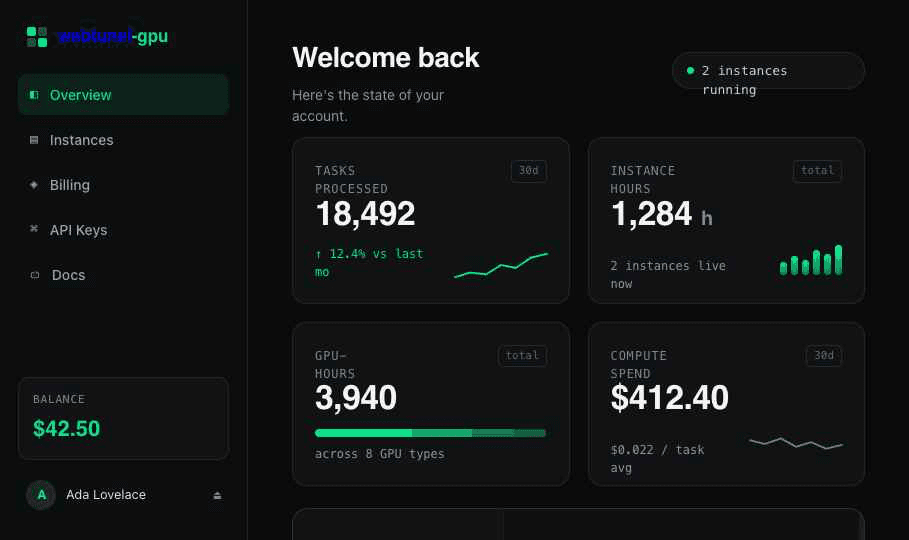
The instances page combines the live runtime count with billable usage rows. The live count answers what is running now; usage rows answer what was billed and for how long. Live logs stream worker stdout and runtime events into the dashboard while a task is still in flight.
Build a worker image and run a task end-to-end
The full path from a minimal worker handler to watching artifacts on the dashboard.
- 1Create a minimal worker handler
Write a loop that claims a task, does the work, posts an artifact, and completes the lease.
- 2Build a Docker image
Package the handler and its dependencies into a small reproducible image.
- 3Push the image to a registry
Push to any registry the runtime can pull from (Docker Hub, GHCR, or a private registry).
- 4Register the image in the runtime
Add the image reference on super-proxy.webtunel.com so the runtime can boot it on GPU capacity.
- 5Create or select a workergroup
Pick the GPU class and scaling bounds the workergroup uses to run your image.
- 6Add credit
Top up prepaid credit from the dashboard so the runtime can reserve task cost.
- 7Submit a task
Send POST /v1/tasks from the dashboard or API with an idempotency key.
- 8Watch timeline, usage, logs, artifacts
Open the task on the dashboard to follow events, instance usage, live logs, and artifacts.
- 9Cancel or retry safely
Cancel releases reserved credit; idempotency keys make retries safe to repeat.
1. Minimal worker handler
The handler claims a task, posts an artifact, and completes the lease — failing the lease on error so the task can be retried.
import os
import time
import requests

QUEUE_BASE_URL = os.environ["QUEUE_BASE_URL"]
QUEUE_WORKER_TOKEN = os.environ["QUEUE_WORKER_TOKEN"]
WORKER_ID = os.environ.get("WORKER_ID", "worker-local")

headers = {"Authorization": f"Bearer {QUEUE_WORKER_TOKEN}"}

while True:
    claim = requests.post(
        f"{QUEUE_BASE_URL}/v1/worker/tasks/claim",
        headers=headers,
        json={"limit": 1, "worker_id": WORKER_ID, "lease_seconds": 300},
        timeout=30,
    ).json()
    tasks = claim.get("tasks", [])
    if not tasks:
        time.sleep(5)
        continue

    task = tasks[0]
    task_id = task["task_id"]
    lease_id = task["lease_id"]
    try:
        requests.post(
            f"{QUEUE_BASE_URL}/v1/tasks/{task_id}/artifacts",
            headers=headers,
            json={
                "artifact_type": "log",
                "label": "worker output",
                "storage_path": f"runs/{task_id}/output.txt",
            },
            timeout=30,
        )
        requests.post(
            f"{QUEUE_BASE_URL}/v1/worker/tasks/{task_id}/complete",
            headers=headers,
            json={"lease_id": lease_id},
            timeout=30,
        )
    except Exception as exc:
        requests.post(
            f"{QUEUE_BASE_URL}/v1/worker/tasks/{task_id}/fail",
            headers=headers,
            json={"lease_id": lease_id, "error": str(exc)},
            timeout=30,
        )
2. Dockerfile worker image
FROM python:3.12-slim
WORKDIR /worker
RUN pip install --no-cache-dir requests
COPY worker.py .
CMD ["python", "worker.py"]
3. Build and push to a registry
docker build -t registry.example.com/webtunel-worker:1.0.0 .
docker push registry.example.com/webtunel-worker:1.0.0
4. Register the image and 5. select a workergroup
Add the pushed image reference on super-proxy.webtunel.com so the runtime can pull and boot it on GPU capacity, then create or select a workergroup that defines the GPU class and scaling bounds the image runs under.
6. Add credit
Top up prepaid credit from the dashboard billing page so the runtime can reserve task cost.
7. Submit a task
POST /v1/tasks
Authorization: Bearer wt_live_...
Idempotency-Key: task-video-001-2026-06-13
Content-Type: application/json

{
  "job": "video-analysis",
  "video_id": "video-001",
  "source_url": "https://storage.example.com/private/video.mp4"
}
8. Watch timeline, usage, logs, and artifacts
Open the task on the dashboard to follow timeline events, instance usage, live logs, and the artifacts your worker wrote with the example payload:
{
  "job": "video-analysis",
  "video_id": "video-001",
  "source_url": "https://storage.example.com/private/video.mp4",
  "metadata": {
    "customer": "demo",
    "priority": "normal"
  }
}
9. Cancel or retry safely
Cancelling a task releases the unconsumed credit reservation. Because submission is idempotent, retrying with the same Idempotency-Key is safe to repeat.
Admin credits
Operators grant, adjust, and audit credit balances from the admin credits page. Every change lands in a transaction ledger so balances are fully traceable.
Security
Supabase Auth backs sessions, API keys carry least-privilege scopes, stream keys are short-lived and job-scoped, and row-level ownership isolates tasks, keys, and invoices per account. Report suspected exposures via responsible disclosure.
FAQ
Why do webtunel.com and super-proxy.webtunel.com both exist?
webtunel.com is the account and marketing surface where you register, add credit, and read task history. super-proxy.webtunel.com is the runtime that holds the queue, worker leases, stream keys, and GPU provider control. Splitting them keeps the account portal stable while the runtime scales independently.
How do users add credit?
From the dashboard billing page. Credit is prepaid through Stripe and stored as an account balance the runtime reserves against before each task.
How does idempotency work?
Send an Idempotency-Key header with POST /v1/tasks. The runtime returns the same task for repeated keys, so retries from a flaky network never double-charge or double-run.
What happens when I cancel a task?
Cancellation stops further work, releases reserved credit that was not consumed, and emits a cancel event on the task timeline.
Get started
Create an account to add credit and submit your first task, or talk to us.
Open dashboardContact